Writing a post
A post is one markdown file with a few lines of frontmatter. Here is every field, how drafts work, and where images go.
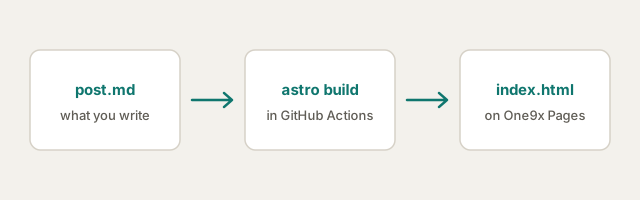
Every post is a markdown file in src/content/posts/. The file name becomes the
address: src/content/posts/hello-world.md is published at /posts/hello-world.
The frontmatter
The block between the --- lines at the top tells the blog what the post is:
---
title: Hello, world
description: One sentence on what this post is about.
date: 2026-10-08
updated: 2026-10-12        # optional — shown as "updated" under the title
tags: [notes, first-post]  # optional — lowercase, dashes for spaces
draft: true                # optional — see below
---
The description is used in three places: under the title, in search results,
and in the RSS feed. Write it to make sense on its own.
Tags become pages of their own at /tags/<tag>, so they are kept to lowercase
letters, digits and dashes. A tag like Getting Started stops the build with a
message saying so, rather than quietly turning into a URL you didn’t type.
Drafts
Add draft: true and the post shows up while you run npm run dev, marked
draft, so you can see it in place. npm run build leaves it out — from the
home page, the tags, the feed and the sitemap. Delete the line when it is ready
and push.
There is a draft in this repository right now, in
src/content/posts/an-unfinished-idea.md. You won’t find it on the live site.
Images
When a post has images, make it a folder: src/content/posts/my-post/index.md,
with the images beside it. The address is still /posts/my-post. Reference the
images with a relative path:
Astro copies the image into the build with a content hash in its name, so a changed image never gets served stale from a cache. Always write the text in the square brackets: it is what a screen reader says and what shows if the image cannot load.
Everything else is markdown
Headings, lists, links, inline code, quotes and tables all work as you would
expect. Code blocks are highlighted at build time, in a light and a dark theme
that follow the reader’s system setting:
export function greet(name) {
  return `Hello, ${name}!`;
}
A blockquote looks like this, for when you are quoting someone.
| You write | You get |
|---|---|
**bold** |
bold |
*italic* |
italic |
[a link](https://example.com) |
a link |